


With the Time Scheduling feature (WLAN Schedule) in the UniFi Controller, you can specify exactly on which days and at what times your WiFi should be active. This saves energy and increases security (e.g., turning off the guest WiFi at night).
Setting up WLAN Schedule
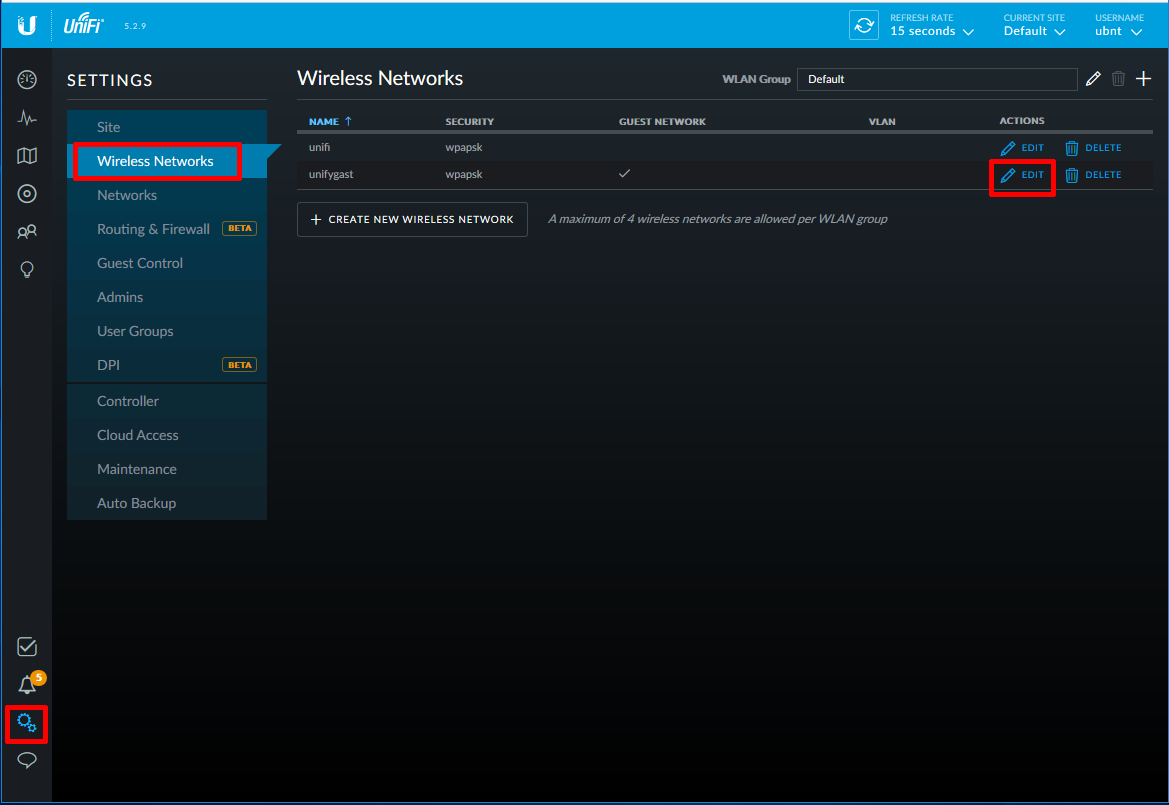
Navigate to Settings -> Wireless Networks. Select the desired network and click Edit.
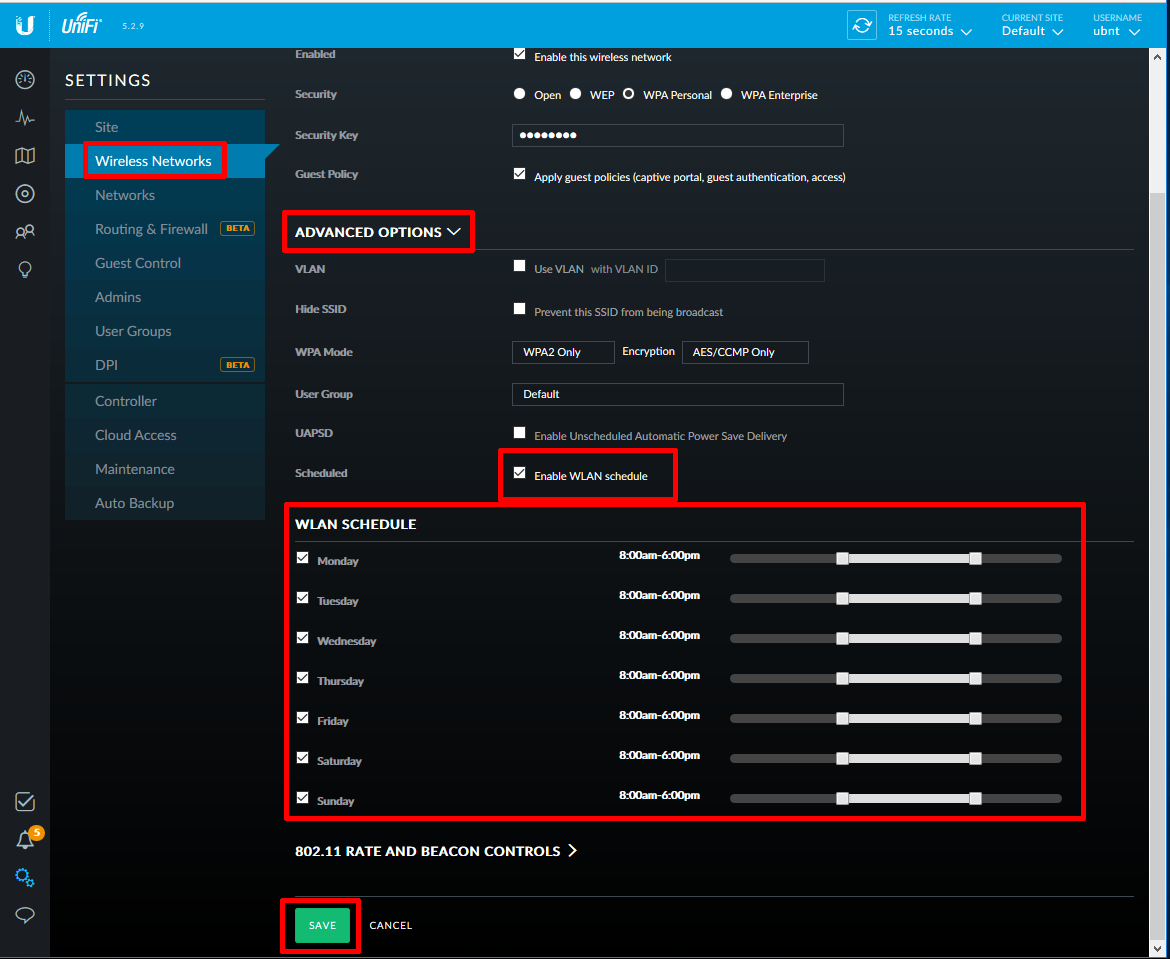
Click on Advanced Options and check the box for Enable WLAN Schedule.
After that, you can set the specific time range for each day during which this SSID should be broadcasted. Save your settings when done.
FAQ: UniFi WLAN Schedule
Can I set multiple time intervals per day?
Unfortunately, you can only set one continuous time range per day for each SSID (e.g., 08:00 AM to 08:00 PM).
Is there a workaround for multiple times?
Yes. If you haven’t reached the limit of 4 SSIDs per Access Point, you can create a second wireless network with the exact same name and password, and apply the second time range to it.