Updated: April 14, 2026 | By your WiFi technology expert team
WiFi is great – as long as nothing gets in its way. The range of your wireless network depends heavily on external interference factors. Think of your WiFi signal as a beam of light: every obstacle casts a shadow. The more massive the obstacle, the darker it gets for your device.
The biggest signal killers are materials containing water (trees, rain, snow), metals (reinforced concrete, tin roofs), or simply high density (thick walls). Let's take a closer look at the top 3 WiFi enemies.
Interference #1: Water – The Invisible Sponge
Your WiFi network operates in the microwave range (2.4 GHz, 5 GHz, or 6 GHz). Just like in a kitchen microwave, water absorbs this energy. When your WiFi signal tries to pass through organic obstacles, the same thing happens.
- Trees and Hedges: Leaves contain a lot of water. This water literally "soaks up" the energy of your WiFi signal (absorption).
- Weather Effects: Rain, snow, or even high humidity act as a dampening wall for your radio waves.
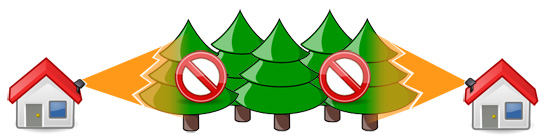
The result: range drops dramatically, and your data transfer slows down to a crawl.

Interference #2: Metal – The Reflector Effect
Metals are the mirrors of the WiFi world. Instead of letting the signal pass, they bounce it back or deflect it uncontrollably. The most common problem is reinforced concrete.
- Faraday Cage: The steel mesh inside the concrete acts as a shield that blocks radio waves almost entirely.
- Reflections: The signal bounces off. This creates multi-path propagation, which might reach the receiver via detours but significantly degrades connection quality (jitter and packet loss).
Also, underfloor heating, metal roofs, or large storage racks in garages can severely impact your signal.

Interference #3: Mass – Pure Density
In addition to chemical composition, the sheer material density plays a role. Thick stone walls, clay walls, or fire protection walls absorb the signal simply due to their thickness.
Expert Tip: The rule of thumb is: every obstacle costs performance. Avoid hiding your router in a cupboard or behind the sofa. A clear, elevated, and central placement is the best (and free) upgrade for your WiFi!
Frequently Asked Questions About WiFi Interference
Why does my outdoor WiFi drop as soon as the trees have leaves?
Leaves contain a high amount of water, which absorbs the microwave energy of your WiFi signal. In summer, dense hedges or trees act like a solid wall for radio waves.
Can I hide my router inside a metal cabinet or behind the TV?
It’s not recommended. Metal reflects signals, and the TV's chassis acts as a shield. For the best range, the router should be placed in an open, elevated position.
Why is my connection poor in a new building despite having "full bars"?
This is often due to reinforced concrete walls. The signal is reflected (multipath propagation), causing data errors. The signal bar display often hides the actual poor quality of the connection.
Does underfloor heating affect WiFi on the upper floor?
Yes, significantly. The water-filled pipes and the metallic insulation layers underneath act as a barrier between floors. Usually, one access point per floor is the only solution.